InfiMech MX 3D Printers Offer Six or Eight Independent Toolheads
The MX pairs six toolheads with a 220 mm cube build volume; the enclosed MX Pro adds eight tools, active chamber heating and a 300 mm cube workspace.
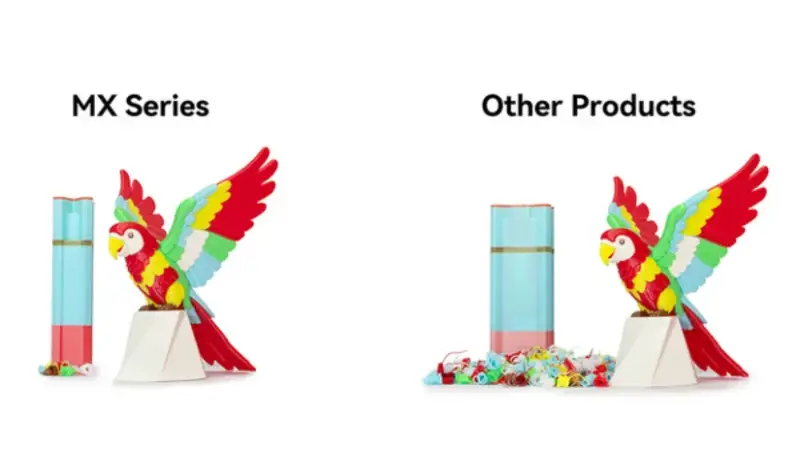
InfiMech’s MX Series puts a dedicated nozzle behind each loaded filament, aiming to cut the purge material that single nozzle printers use when switching colors. The two Kickstarter machines offer six or eight toolheads, with the larger MX Pro adding an enclosure, active chamber heating and a 300 × 300 × 300 mm build volume.
That arrangement changes the work involved in multi-material printing. Instead of unloading one filament and feeding another through the same hotend, the printer parks one toolhead and picks up another. Each tool can stay assigned to a color, material or nozzle setup, so a change doesn’t require clearing the previous filament from a shared melt path.
Two machines, different print envelopes
The open-frame InfiMech MX is the smaller entry point, with six toolheads and a 220 × 220 × 220 mm build volume. The enclosed MX Pro carries eight tools and expands the build area to 300 × 300 × 300 mm. InfiMech also lists closed-loop motors, AI monitoring and air filtration for the Pro; these features aren’t listed for the MX.
The Pro’s active chamber heating is relevant for materials that benefit from a more controlled print environment. InfiMech positions it for engineering filaments, while the open MX is a more straightforward choice for multi-color work such as PLA. The added enclosure and larger workspace make the Pro a different class of machine, not simply an MX with two more toolheads.
| Feature | InfiMech MX | InfiMech MX Pro |
| Toolheads | 6 | 8 |
| Build volume | 220 × 220 × 220 mm | 300 × 300 × 300 mm |
| Enclosure | Open | Fully enclosed |
| Active chamber heating | No | Yes |
| Closed-loop motors | No | Yes |
| AI monitoring | No | Yes |
| Air filtration | No | Yes |
Why separate toolheads matter
Single-nozzle multi-color printers switch filaments through one hotend. Material left in the nozzle has to be pushed out before the next color prints cleanly, creating purge waste. With dedicated extruders, the MX can change tools instead of repeatedly flushing the shared nozzle.
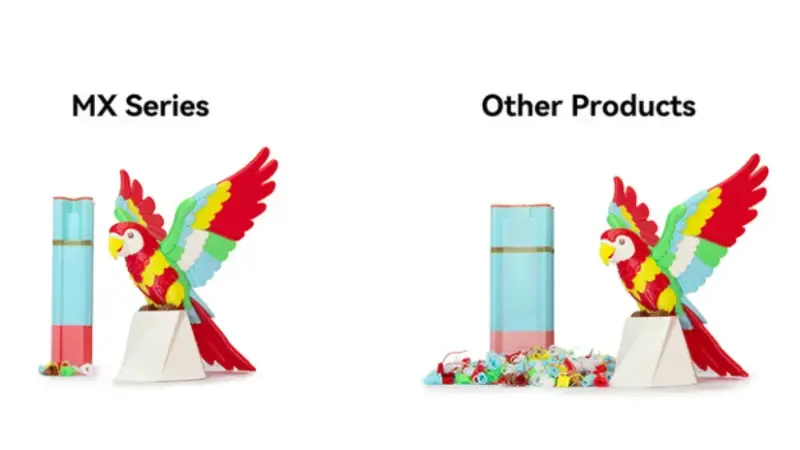
Image: InfiMech
Less purging is the clearest potential benefit, but separate melt paths also avoid making incompatible materials share one nozzle. In principle, each toolhead could carry a different nozzle configuration, material or support filament. That flexibility depends on print preparation and on how well the machine manages tool changes and nozzle positioning in practice.
Toolchanging itself isn’t new. The Prusa XL and other desktop systems have shown how dedicated printheads can handle multi-material jobs. The MX Series joins a growing effort to bring that approach to a lower price tier. Its six or eight independent tools make color count only part of the proposition: material combinations and support strategies may matter more for some users.
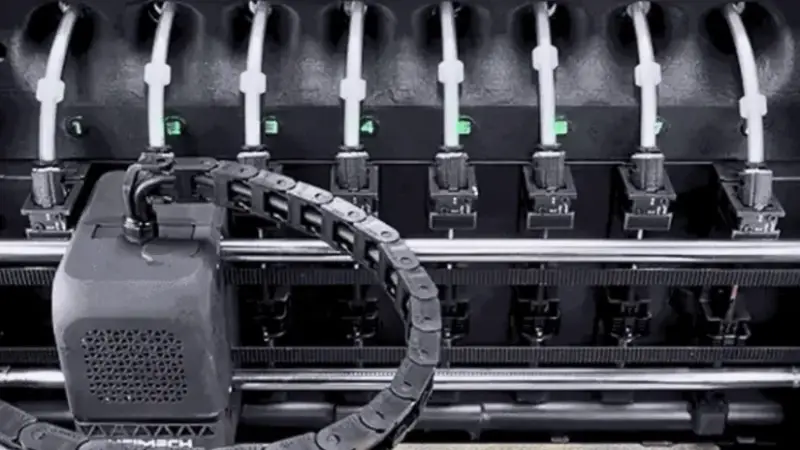
Image: InfiMech
Induction heating and tool alignment
InfiMech says the removable hotends use induction heating. The company describes the system as contactless and fast-heating, with temperature monitoring that doesn’t require conventional wiring to each parked toolhead. In a machine carrying six or eight tools, that design avoids running a conventional heater and sensor connection to every parked head.
Multiple nozzles also create a calibration challenge: each must land at the right position relative to the others. InfiMech lists adaptive calibration and automatic nozzle alignment, plus a dedicated sensor intended to detect material buildup around a nozzle. These features address practical requirements of toolchanging, though everyday reliability will depend on how consistently the printer executes those tasks.
Material options and early pricing
InfiMech is working with eSUN as a filament partner for the Kickstarter launch. The companies are highlighting high-speed PLA, PETG, TPU and engineering-grade materials. The MX Pro’s enclosure and active heating are most relevant when a material benefits from a steadier chamber temperature, particularly on larger parts prone to warping.
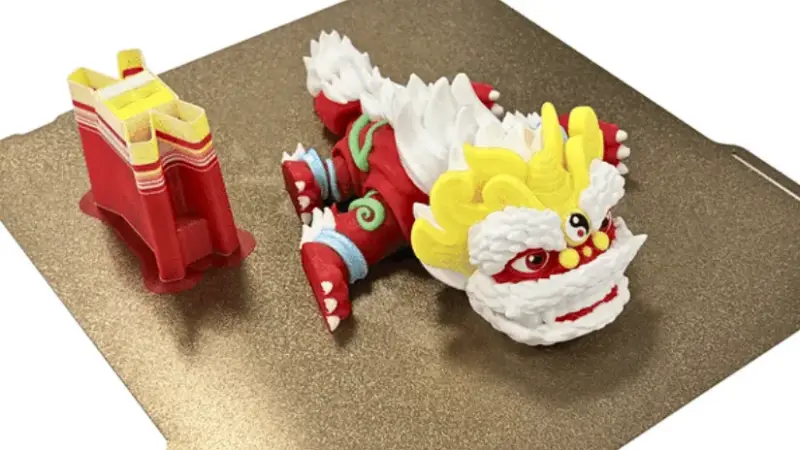
Image: InfiMech
The campaign listed Super Early Bird pricing of $299 for the MX and $549 for the MX Pro. It also showed VIP cashback prices of $249 and $499, respectively, and MSRP figures of $399 for the MX and $1,399 for the Pro. Reward availability and prices can change during a campaign, so the Kickstarter page has the current offer details.
The MX Series launched on Kickstarter in November 2026. InfiMech’s development images show a progression from proof of concept through prototype stages, including mechanical refinement, enclosure work and thermal testing, to the production-ready design.
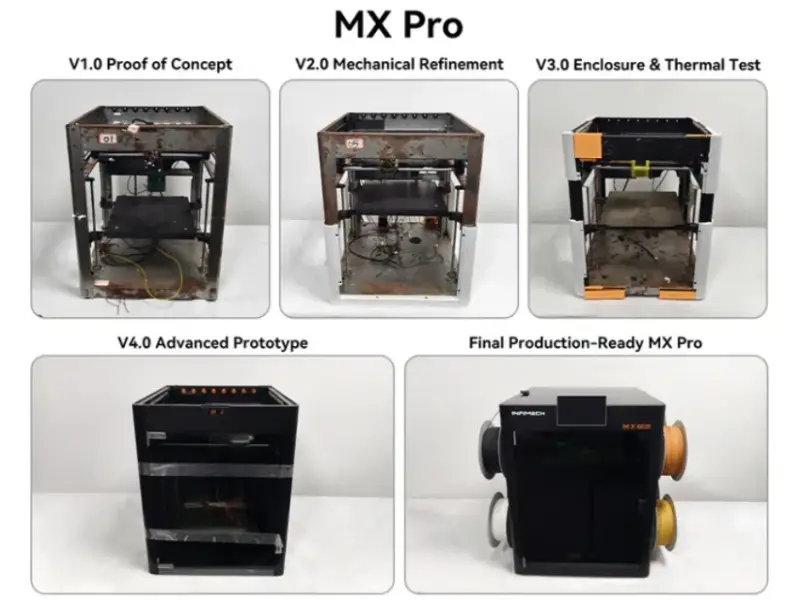
Before hands-on testing, a video from The Real Samprentice offers an early look at the six-toolhead setup and its multi-color workflow. InfiMech, founded in 2023, also developed the TX desktop printer platform and related accessories. The company describes its team as including PhDs and engineers with 3D printing industry experience.
The MX’s core appeal is straightforward: switching dedicated tools should reduce the material flushed during color changes, while the Pro extends that approach to a larger, heated chamber and eight toolheads. The practical test will be whether tool changes, calibration and print preparation remain dependable across the range of materials the system is intended to handle.
 AMD Venice Uses 2.5D Packaging to Feed More Bandwidth Into EPYC Zen 6
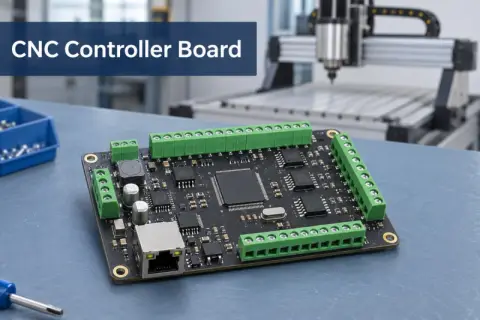 CNC Controller Board Design: Interfaces, PCB Specs and Assembly Testing
 Stratasys and Nano Dimension End $42.5 Million Markforged Sale Agreement